What eOffice software is: functions, selection criteria and how to roll it out
 Lê Thị Hồng Vân · Digital administration specialist··8 min read
Photo: Austin Distel / Unsplash
A document waiting for signature can pass through four offices, sit on someone's desk for days, then come back because one signature is missing. Anyone who has worked in administration knows the scene. Digital office software — commonly called eOffice — exists to shrink those loops.
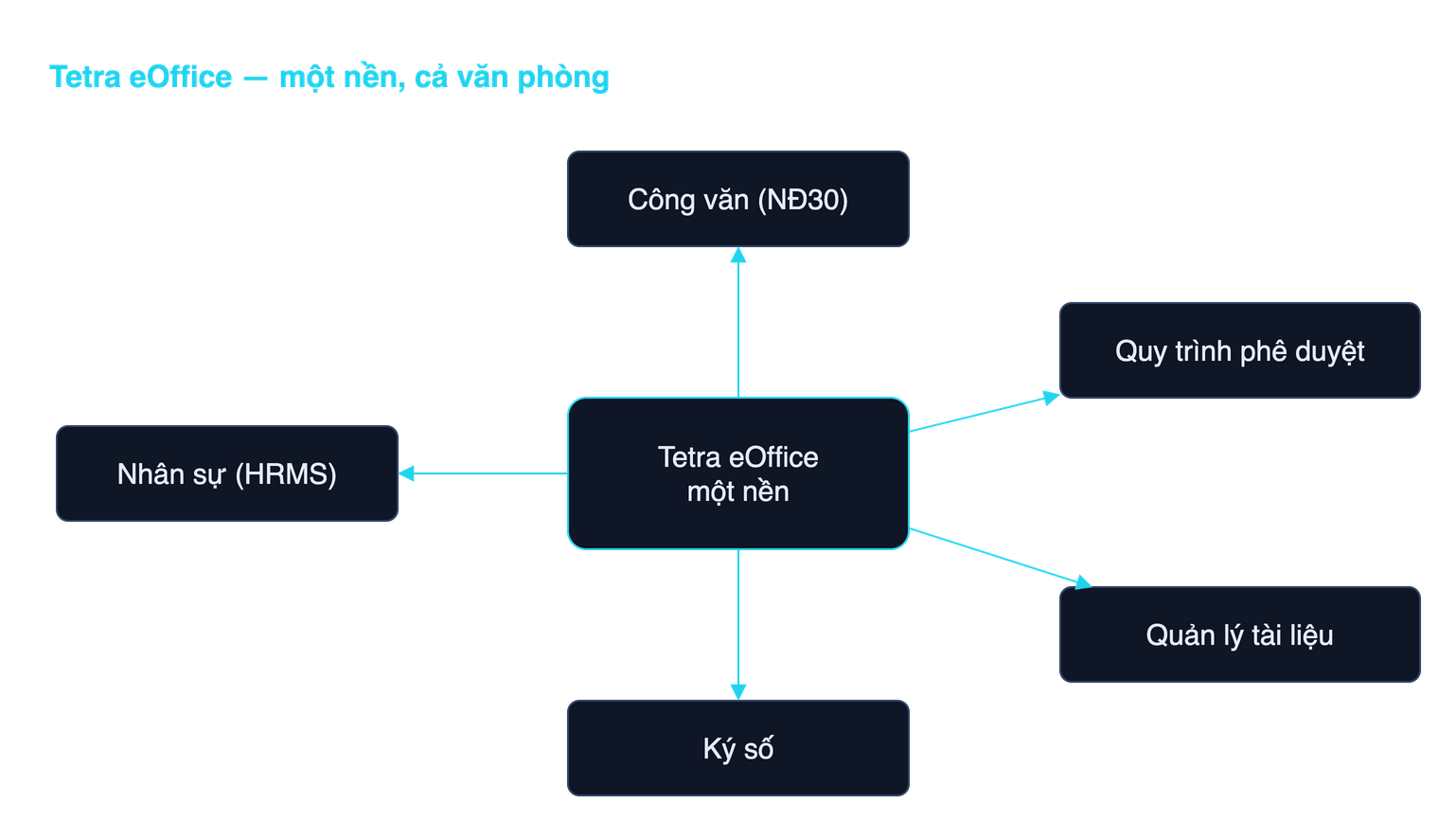
The short answer to what eOffice is: a system that moves an organization's administrative work, records management and internal processes into a digital environment. Incoming and outgoing documents, routing, multi-level approvals, document retention, HR records, digital signing and management reporting all live in one system with proper permissions and an audit trail, instead of paper, scattered email and everyone's private spreadsheet.
What eOffice is not
Most misunderstandings about office digitization start here, so it is worth clearing up first.
- Not a file store. A network drive or a shared folder is not an eOffice. What makes an eOffice is process: documents have states, each step has an accountable owner, and deadlines exist.
- Not internal email. Email cannot tell you which step a document is on, cannot stop someone from skipping an approver, and cannot produce a document register.
- Not an ERP. An ERP manages production, sales and accounting resources. An eOffice manages the flow of documents and administrative decisions. The two usually connect; they do not replace each other.
- Not install-and-go. Document formats, org charts and approval matrices differ at every organization. The configuration work is what decides success.
The core function groups
When comparing products, look at function groups rather than counting features on a brochure. eOffice capabilities usually cluster into six groups.
- Incoming and outgoing document management. This is the core, and the reason many organizations simply call it document and workflow management software. It covers intake, scanning of paper originals, registration, number assignment, distribution by authority, deadline tracking and archiving of outgoing mail. Decree 30/2020/ND-CP describes exactly this sequence in its sections on outgoing and incoming documents.
- Workflow and approvals. Multi-level routing design, branching by value or case type, delegation when a manager is away, reminders, recall. A good system lets a business administrator change a flow without waiting for the vendor.
- Digital signing. Personal signatures, organizational seals, batch signing, certificate validity checks. Decree 23/2025/ND-CP on electronic signatures and trust services is the current basis here, alongside the Law on Electronic Transactions 2023.
- Retention and retrieval. Case files, retention periods, permissions by department and confidentiality level, full-text search including scanned documents. This group is routinely underweighted at purchase and generates the most complaints two years in.
- HR and administration. Personnel records, attendance, leave, travel expenses, payroll and social insurance. It has to track labor law changes, such as those we covered in the Social Insurance Law 2024 and HRMS.
- Management reporting. Overdue documents by unit, average handling time per step, where the bottleneck sits. Without this layer, leadership still has to ask around, and the system is just an expensive file cabinet.
Enterprise eOffice versus public sector eOffice
Both groups use the same word but their requirements diverge sharply. Failing to separate them is why many projects buy the wrong product.
- Document format rules. For state agencies and state-owned enterprises, the format and presentation of administrative documents are mandatory under Decree 30/2020/ND-CP of 5 March 2020 on records management. Everything from the national heading, document number and recipient block down to font sizes is specified. The system must generate compliant documents rather than leave users to format by hand. Private companies have far more freedom and usually only need a consistent internal template set.
- Interoperability with the national document axis. State administrative agencies exchange electronic documents through the interconnection axis under Decision 28/2018/QD-TTg of 12 July 2018. An eOffice must connect to it with the correct packet structure and status responses. Companies have no such obligation.
- Legal validity and signing. Decree 30/2020 recognizes the legal validity of electronic documents when digital signature conditions are met. In the public sector, specialized public-duty digital signatures are mandatory for many document types; companies typically use public digital signatures. We covered the detail in internal digital signing under Decree 23/2025.
- Archival obligations. Public bodies must compile case files and transfer them to the agency archive within set periods. Companies set retention based on management needs and sector-specific law.
- Audit and inspection. State agencies undergo periodic records-management inspections, so action logs and the ability to export the document register are survival requirements, not nice-to-haves.
The real benefits of a paperless office
There are three genuine benefit groups, and it is worth stating exactly that much.
- Time. Documents no longer walk between offices. Routing, comments and approval happen in parallel instead of in series. This is where results show first, usually within the first quarter.
- Transparency. Everyone can see where a document sits, who it is waiting on and how overdue it is. Every action is logged. When there is a dispute, you open the log instead of relying on memory.
- Operating cost. Less printing, less courier, less storage space. Savings depend on scale, so distrust generic percentage claims; measure your own paper volume and handling times before rollout so you have a baseline.
The uncomfortable part deserves saying plainly: eOffice does not make a slow organization fast if the process was already tangled. Digitizing a seven-level approval chain produces a seven-level approval chain running on computers. Reviewing and cutting steps before automation is what creates the difference.
How to evaluate an eOffice system
When scoring products, these questions filter out most candidates.
- How long does a process change take. Ask the vendor to modify an approval flow live during the demo. If it requires going back to development and returning next week, ongoing operating cost will be high.
- Where the data lives and who can touch it. Ask exactly where the database and attachments sit, who holds system administrator rights, and how you extract your data if the relationship ends.
- How closely it follows document standards. Ask to see a document the system generated and compare it against the templates in Decree 30/2020 to see whether manual fixing is needed.
- Whether signatures verify independently. Sign a test document, then open it with an independent signature checker and confirm the certificate and timestamp are valid.
- Logging and backup. Does it record who did what and when, how long is it kept, how long does a restore take. Ask whether a real restore has ever been performed.
- Integration. Connection to your existing identity system, to accounting or ERP, and to the national document axis for public bodies.
- The delivery team. Ask for the names of the people who will sit with your organization, not the name of the company. Projects of comparable size and sector matter more than total project count.
On-premise or SaaS
This decision has the longest tail, so weigh it on data, not on the first month's price.
SaaS suits smaller organizations with standard processes, little customization and no sensitive data. It starts fast and requires no infrastructure of your own.
On-premise is the default for large organizations and the public sector, for four practical reasons. First, all official documents, HR files and internal material stay inside your own infrastructure and never pass through a third party. Second, process customization goes much deeper, and large organizations always have exceptions. Third, the system connects to internal networks, user directories and the document axis without opening ports outward. Fourth, HR records are personal data, and the Law on Personal Data Protection 91/2025/QH15, effective 1 January 2026, will require every organization to state clearly where data sits, who processes it and who receives it. We examined the choice in more depth in on-premise or cloud for data compliance.
What rollout requires, and where to start
The practical approach is module by module, not one big launch.
- Before buying. Inventory the document types in circulation, map the approval matrix as it actually works rather than as the regulation describes it, and measure current handling time for your three most common document types. That is your baseline.
- Infrastructure. Servers or virtual machines, storage sized for at least three years of scanned material, a backup plan, and digital certificates for the organization and for authorized signers.
- Phase one. Incoming documents, outgoing documents and a single approval flow. Run it for real in one pilot unit for four to six weeks.
- Phase two. Digital signing, the remaining approval flows, and axis interconnection for public bodies.
- Phase three. HR, records retention and management reporting.
- Throughout. Train by role rather than in one generic session, and keep paper running alongside only for a short period with a firm end date.
Records management under the two-tier local government model has its own specifics, which we covered separately in digitizing documents under Decree 30/2020.
Common mistakes
- Copying the old process verbatim. Digitizing a tangle yields an electrified tangle. Cut redundant steps first.
- Buying from a feature list. A hundred-row comparison table is worth little. Three business flows piloted on real data say far more.
- Ignoring the paper backlog. Without a plan to scan and tag legacy documents, the new system only serves work created after go-live.
- No business owner. Projects run by the IT department alone almost always slip. The owner should be the head of the office administration function.
- One-off training. Three months in there are always new people and new flows. You need someone internal capable of changing configuration.
- No exit plan. Ask at the start what format your data comes out in if you stop using the system.
Conclusion
A digital office is not a product you buy and finish with; it is a way of reorganizing how documents and decisions flow. Pick the function groups you need first, separate enterprise requirements from public sector ones, choose the deployment model based on your data rather than the first month's price, and move in stages.
Tetra eOffice runs on your own infrastructure and follows Vietnamese rules on records management, digital signing and personal data protection. If your organization is planning to digitize its office, book a consultation and we will demo against your actual processes and your own document templates.
Related articles

Document management software: must-have features and how to choose
How document management software differs from a shared drive and from an official-correspondence system, the five kinds of solutions on the market, a must-have feature list and the questions to ask vendors before signing.
Read ↗
Electronic case file management: rules and required features
Electronic case files under Decree 30/2020, the 2024 Archives Law and Circular 05/2025: who must keep them, the 60-day transfer deadline for digital files, required software features and the July 2027 milestone.
Read ↗
Free warranty and repair management software: does it exist?
Three different kinds of free, a common mix-up between maintenance and repair software, the options with no licence fee, and the costs the word free does not cover.
Read ↗See Tetra eOffice handle real documents
A demo on a sample system: registration, routing, deadline tracking and digital signing.