Comparing eOffice software: self-hosted on-premise vs rented SaaS
 Ngô Phương Linh · Solutions consultant··7 min read
Photo: Catherine Breslin / Unsplash
Most eOffice comparisons burn their time on feature checklists. Yet the feature lists across the market have largely converged: approval routing, incoming and outgoing document registers, task assignment, meeting calendars, digital signatures. The real fork is the deployment model — software running on infrastructure you control, or a service the vendor operates and you rent.
The short answer: if your approval workflows are specific to your organization, your data is sensitive, and you expect to live with this system for a decade, running it on your own infrastructure is usually the better fit. If you are a smaller organization with fairly standard processes, few data constraints and no operations team, renting an electronic office suite is a reasonable choice and nothing to apologize for. This article gives you a criteria framework to score yourself, instead of listening to each side explain why it is better.
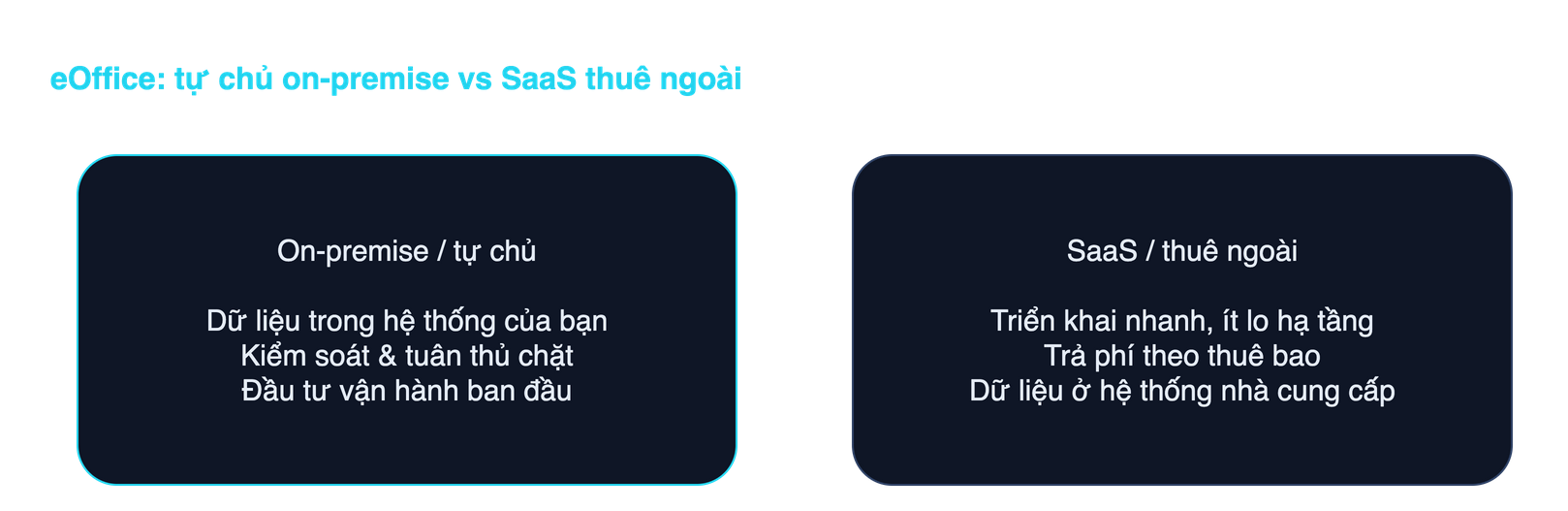
What on-premise eOffice means, and how SaaS differs
On-premise eOffice means the software is installed and runs on servers your organization owns or leases exclusively. The database sits inside your network. Your administrators hold the highest-privilege accounts. The vendor delivers, trains and supports — but does not hold your data.
SaaS is the reverse. You pay monthly or per user and log into a shared system the vendor operates. Updates, patches and backups are theirs. Your data lives in their systems, under their policies.
Keep this separate from the pure infrastructure debate. Where servers should sit and what the law requires of that choice is covered in on-premise or cloud for data sovereignty. This article sits at the product layer: how far the workflows bend, what operations cost, and how the contract binds you.
Comparing eOffice software across eight criteria
Score each criterion against your own situation, not in the abstract.
- Data control. On-premise, you decide who has access, how long logs are kept, where backups live, and you can extract the full database at any time. On SaaS, you get whatever the admin console exposes. The practical question is not whether the vendor is trustworthy, but: if an auditor asked for the complete dataset tomorrow, how would I produce it and how long would it take?
- Workflow customization. This is where the two models diverge most. Approval routing in a large enterprise is rarely a straight line: delegation when an executive travels, signing on behalf, branches based on contract value, parallel consultation steps that then merge. SaaS lets you configure within the shape the product already has; outside that shape, you wait for the roadmap. A dedicated deployment can be changed to match the business, at the cost of effort each time.
- Integration with existing systems. Most large organizations already run a user directory, an HR system, accounting software, and often a sector-wide document exchange. eOffice is only worth having if it connects to those. A system on your own infrastructure connects directly inside the network; SaaS must be exposed to the Internet and depends on whichever APIs the vendor happens to offer.
- Cost over time. SaaS is cheap in year one and grows with headcount. A self-run deployment is heavy up front and then flattens. The crossover depends on scale and system lifespan, so never compare first-year prices. Build a five-year cost model for both, including maintenance, per-seat additions, storage overage and your own staff time. The line items are broken down in criteria for choosing eOffice software.
- Deployment speed. SaaS clearly wins the first week. But time-to-real-use depends on mapping processes and migrating legacy records, not on installation. A system where accounts open in three days but paper still circulates six months later was not faster.
- Compliance obligations. State records work, and organizations dealing with state agencies, fall under Decree 30/2020/ND-CP on records management for document format, numbering and file retention. Personal data inside HR records falls under the Personal Data Protection Law 91/2025/QH15 and Decree 356/2025/ND-CP. The point worth internalizing: using SaaS does not transfer accountability to the vendor. You remain the controller, and you must still be able to demonstrate that your processor behaved. Domestic storage requirements sit on top of that, as discussed in data localization.
- Operational capability required. This criterion gets skipped, and it is the real reason self-hosted projects fail. Running your own deployment needs someone who monitors servers, restores after incidents, applies security patches and actually tests backups. If nobody does that today and you do not plan to hire, on-premise is just risk under a nicer name. Being honest about current capability matters more than picking the model that sounds impressive.
- Ability to leave the vendor. Lock-in risk is not about hard-to-cancel contracts. It is about data leaving the system in a form nobody can use. Exporting a few thousand loose PDFs is not a data migration. What you need is the file structure, the link between incoming and outgoing documents, approval history, digital signatures with timestamps, and access logs.
Which model suits which kind of organization
There is no universal answer, but the clusters are fairly clear.
- Small organizations with standard processes. Under roughly a hundred people, two or three approval levels, no sensitive data, no IT operations team. SaaS is the right call: fast, cheap, and you avoid paying for autonomy you do not yet need.
- Growing mid-market companies. Processes are getting complex and separate HR and accounting systems already exist. This group should look hard at integration and customization, because that is where hidden costs surface after year two.
- Groups, corporations and multi-tier entities. Complex permission matrices, multiple legal entities, sensitive financial and HR data. Running the system yourself almost always wins on a ten-year view.
- Government agencies and public service units. The choice here is largely pre-constrained: information system security classification, connection to the national document exchange backbone, domestic storage and archival rules all push toward infrastructure controlled by the state or the supervising body. Shared SaaS hosted offshore rarely clears the assessment.
Questions to ask a vendor before signing
Send them in writing and require written answers. A vague answer is itself an answer.
- Where does the data live, who holds the top administrator account, and what can the vendor's own staff access?
- If we terminate, in what format is data exported, does it include file relationships and approval history, how long does it take and what does it cost?
- After export, how soon is our data deleted from the vendor's systems, and is there a confirmation record?
- Our approval flow needs these specific branches — configurable, or does it require custom development? If custom, who owns that code?
- Will upgrades break our customizations, and who pays to fix them?
- How does the system connect to our existing user directory and HR software?
- How are digital signatures implemented, and how do they integrate with specialized signing certificates?
- What is the committed incident response time, and what applies if it is missed?
- If the relationship ends, may we keep operating the running deployment?
If you go with SaaS, put the vendor through third-party assessment. The framework is in the third-party and SaaS risk checklist, and why it is not busywork is illustrated by the Vietnam Airlines partner data exposure.
How to verify the promise that it is customizable
Nearly every vendor says their product is customizable. The only way to know is to make them prove it on your workflows, while you still have negotiating leverage.
- Bring a hard process, not the sample one. Pick the messiest approval flow you have. Ask them to build it on a demo instance within a set time.
- Watch them build it. If changing a flow requires the vendor's developers to edit source code and ship a release, then every future process change is a small project. Learn that before signing, not after.
- Ask who retains the right to change things. After handover, can your administrator add an approval step, or does every change go through a ticket?
- Run one reverse migration. Ask for an export from the demo instance and check yourself whether a complete record can be reconstructed from it. This is the cheapest test and the most revealing.
Conclusion
Comparing eOffice software should not stop at which model is better, because both are right for some kind of organization. The work is scoring those eight criteria against your real situation, being honest about the operational capability you actually have, and inspecting the two places that cost the most money later: workflow customization and the exit path.
Tetra eOffice is built as a customized system running on the customer's own infrastructure rather than a shared subscription service, so the organization keeps control of its data and stays free of vendor lock-in. If you are weighing the two models, book a consultation and we will score this framework against your actual processes.
Related articles

Document management software: must-have features and how to choose
How document management software differs from a shared drive and from an official-correspondence system, the five kinds of solutions on the market, a must-have feature list and the questions to ask vendors before signing.
Read ↗
Electronic case file management: rules and required features
Electronic case files under Decree 30/2020, the 2024 Archives Law and Circular 05/2025: who must keep them, the 60-day transfer deadline for digital files, required software features and the July 2027 milestone.
Read ↗
Free warranty and repair management software: does it exist?
Three different kinds of free, a common mix-up between maintenance and repair software, the options with no licence fee, and the costs the word free does not cover.
Read ↗See Tetra eOffice handle real documents
A demo on a sample system: registration, routing, deadline tracking and digital signing.